Working with your agent
SpexCode gives a coding agent a durable workflow without replacing the way you talk to it. The everyday path is a normal harness launched in your repository. Managed sessions and the dashboard use the same contract when work needs isolation, parallelism, or a shared review surface.
Start direct; add management when it earns its cost
A directly launched agent is the default. After spex init --harness claude,codex, start the harness you selected in the repository. Its ordinary discovery files carry the contract: read the governing spec before changing code, commit the code and intent it justifies together, prove the change through the real product, and hand a merge proposal to a human.
Managed sessions are for parallel work. spex serve runs the backend for one repository. spex dashboard opens one host-level workspace that discovers the backends you run, lets you dispatch agents into isolated worktrees, and shows their sessions, diffs, issues, and live terminals. The dashboard is a consumer of the same files and CLI state; it is not a separate workflow or database.
Specs as documents you can act on
Specs are Markdown files in Git, and the dashboard reads them as documents you can act on.
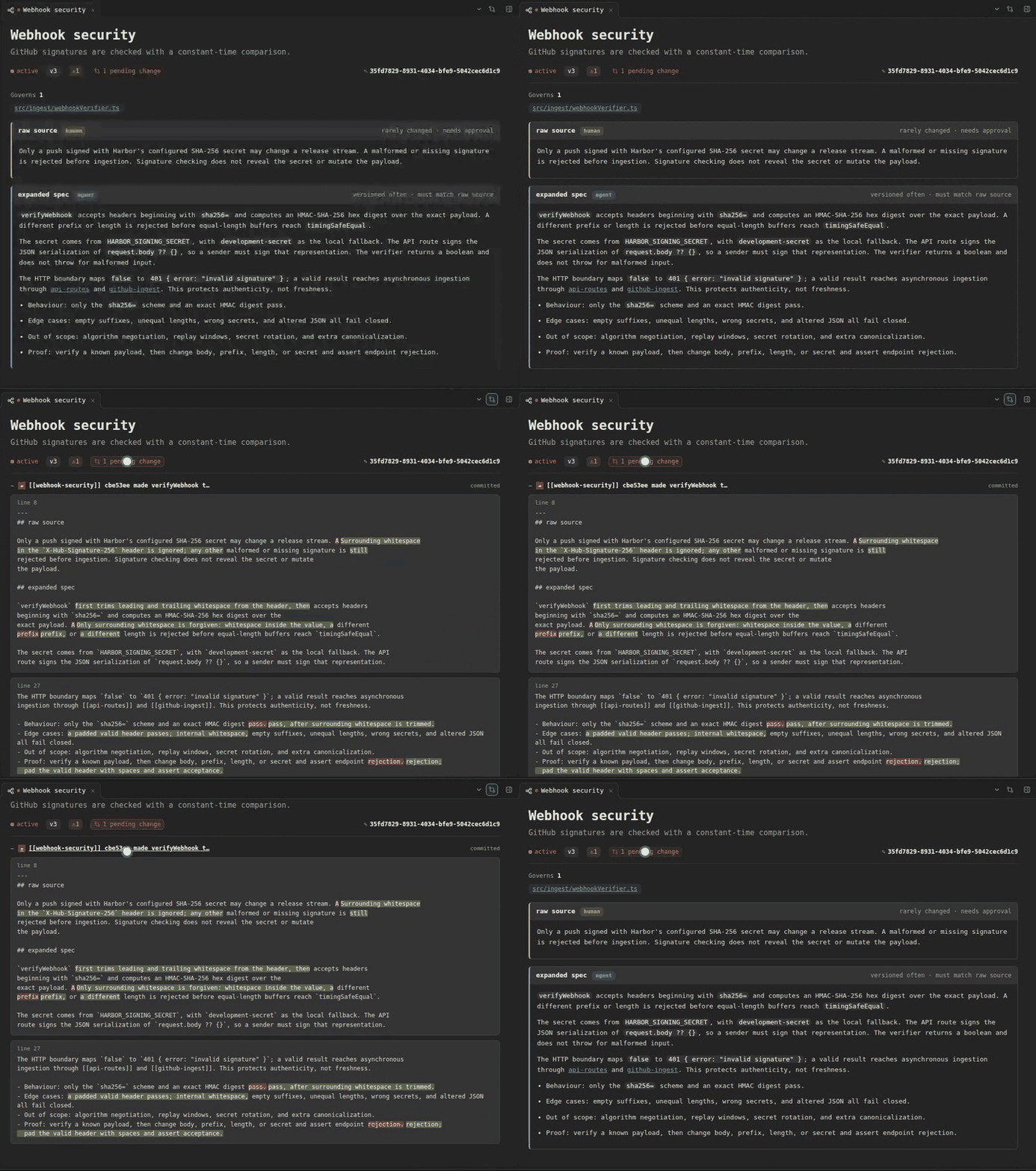 |
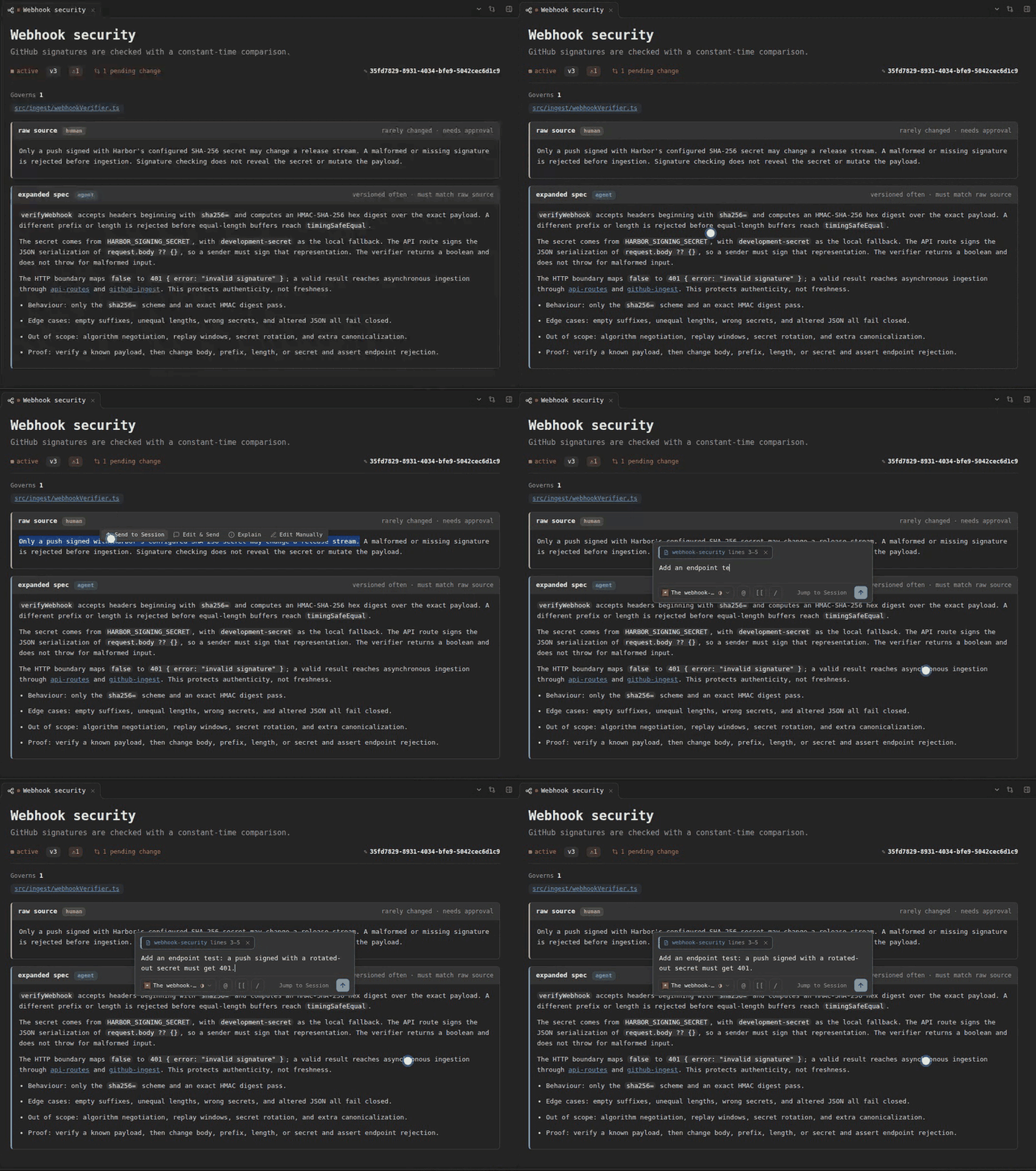 |
| A live session's edit to this spec, as a redline. | A selected passage, sent to a session. |
Let the agent pull detail when it needs it
The materialized contract points the agent to spex guide, rather than carrying every schema in every prompt:
spex guideexplains setup and the adoption flow.spex guide specexplainsspec.mdand the intent it owns.spex guide settingsexplains portable and machine-local configuration.
This keeps the normal prompt small while making the full manual available at the moment a task needs it. The Reference projects SpexCode's own spec tree verbatim; the Guide explains how to use those contracts as a reader.
Know what is portable and what is local
.spec/spexcode.jsonis committed project policy: harnesses, graph roots, source-of-truth layout, session limits, and dashboard identity..spec/spexcode.local.jsonis ignored machine configuration, such as local launcher command paths or TLS file paths. It overlays the portable file without turning local details into project history.
The split lets teammates share one workflow without sharing credentials, absolute paths, or runtime residue.
Review is a real handoff
For managed work, each agent has its own worktree and branch. It reads the relevant spec, makes a verified change, commits the change and its updated intent, then declares a review-ready proposal. A human or supervising agent reviews that committed head and performs the merge. The worker does not merge itself.
For a direct agent, the shape is the same even without a dashboard: ask for the change, inspect the diff and proof, then decide whether to land it. SpexCode makes the evidence and ownership visible; it does not remove the human decision.
What SpexCode leaves behind
SpexCode is a guest in a repository. .spec/, including its spexcode.json, is the human-readable data you choose to commit. Generated discovery files, hook shims, and per-clone hooks are stamped, visible, and reversible. spex uninstall removes only what SpexCode generated, leaving your own prose and tracked intent untouched.